Table of contents
- Start with the question: what should the website deliver?
- 1. Determine who works with the CMS
- 2. Clarify what you want to be able to do yourself
- 3. Look at your content and structure
- 4. Map out languages, countries, and websites
- 5. Research which integrations are needed
- 6. Look beyond the costs at launch
- 7. Research how dependent you become on a provider
- Which CMS systems should you consider?
- What is the best CMS?
Start with the question: what should the website deliver?
A CMS is the system you use to manage a website's content. Think of texts, images, pages, and other content. But which system fits well depends on the role the website plays within your organization.
A website that primarily tells people who you are has different requirements than a platform that processes requests, shows vacancies, or supports various branches.
Therefore, first map out:
- Which goals should the website support?
- Which target groups do you want to reach?
- Which parts change regularly?
- Which processes or systems play a role?
- What challenges are you facing with the current website?
Make the answers as concrete as possible. ‘The website must be flexible’ could mean, for example, that you want to create campaign pages yourself. Or that a future integration with a CRM must be possible. These are different needs that you should evaluate differently.
1. Determine who works with the CMS
When choosing a CMS, a lot of attention goes to features. Just as important is who will be using those features. Perhaps one colleague occasionally publishes a news item. But it could also be that different departments work on products, vacancies, campaigns, and pages for multiple countries.
Therefore, map out:
- Who creates and edits content?
- Who is allowed to review and publish pages?
- Do different teams have access to different sections?
- Is there someone internally who can handle technical questions?
- Which tasks do you want to outsource?
Discuss not only who gets access, but also how the collaboration works. An organization with one editor has different needs than an organization where a central team reviews content for publication.
2. Clarify what you want to be able to do yourself
‘User-friendly’ means something different for every organization. For one, it's enough to adjust texts and images. For another, it means that colleagues can independently set up new pages and campaigns.
Make a list of tasks that occur regularly, such as:
- Adjusting texts and images
- Building new pages
- Publishing cases, vacancies, or news items
- Adding or adjusting forms
- Managing SEO titles and meta descriptions
- Preparing content for review or publication
Then determine where the limit lies. For example, it makes sense that a new system integration requires technical support. But if you need a developer for every text change or campaign page, that can slow down daily work.
Therefore, don't just ask a provider if something is possible, but also who can perform it and what is needed for that.
Want to know more about management and the differences between systems? Read also: what is the best CMS for marketing teams?
3. Look at your content and structure
The amount of content doesn't tell the whole story. The way that content is connected is also important.
An organization with a few dozen pages might find a clear page structure sufficient. Do you work with many products, locations, services, or target groups? Then you might want to use information in multiple places without managing everything twice.
For example:
- A case study that needs to be visible for multiple services
- Vacancies that automatically appear on the correct location page
- Product information used on different pages
- Multiple websites sharing the same components
Map out which types of content you have, who is responsible, and where information needs to appear. This prevents a system from appearing organized at launch but causing a lot of duplicate work later.
4. Map out languages, countries, and websites
Do you have an international website or plans to expand? Then think not only about the number of languages, but also about how content differs per country.
A Dutch website with an English translation requires something different than separate websites for different countries, each with its own offerings and editors.
Discuss, among other things:
- Which content is the same for all countries?
- Which pages and offers differ per country?
- Who creates and checks translations?
- Should local teams be able to publish independently?
- Do you need one website or multiple websites?
A multilingual website can be set up in various ways. With WordPress, this can be done, for example, with a translation solution on a single website. For multiple websites or labels, WordPress Multisite might be a suitable option.
5. Research which integrations are needed
A website often doesn't stand alone. Requests go to a CRM, vacancies come from a recruitment system, and forms pass information to other tools. Create an overview of the systems the website needs to work with. Think of:
- CRM and marketing software
- Recruitment or vacancy systems
- Product and inventory systems
- Forms and email software
- Analytics and reporting tools
Determine for each integration which data is exchanged, which system is leading, and what happens if an integration fails.
Also check if an existing integration is available or if custom work is required. A CMS can technically support a lot, but the setup and maintenance of integrations still require attention.
Read more about WordPress API integrations.
6. Look beyond the costs at launch
The price of the CMS is only one part of the total investment. Also take into account the costs to build, manage, and further develop the website.
Think of:
- Design and technical realization
- Licenses or subscriptions
- Hosting, maintenance, and security
- Paid plugins or extensions
- Integrations and custom work
- Content migration and translations
- Training, support, and further development
A system without license fees is not automatically the cheapest solution. Conversely, a platform with subscription costs can take more work off your hands. You make the best comparison by looking at the total costs and the work you get in return.
When requesting quotes, don't just ask what the build costs, but also what recurring costs you can expect and what is and isn't included in the support.
7. Research how dependent you become on a provider
When choosing a CMS, you often also choose a way of working together. Some organizations have their own technical team. Others rely on an external partner for hosting, maintenance, and development. That collaboration is pleasant as long as it's clear what you can expect from each other. Therefore, ask in advance:
- Who owns the domain name, hosting accounts, and website files?
- Do you have access to the website and important accounts yourself?
- Can another party maintain the website later?
- How are custom work and integrations documented?
- Can you export content and files?
- What happens if you stop the collaboration?
An open-source CMS can offer freedom of choice, but it doesn't automatically remove dependency. Even with an open system, specific custom solutions or integrations may require knowledge from the original builder.
Which CMS systems should you consider?
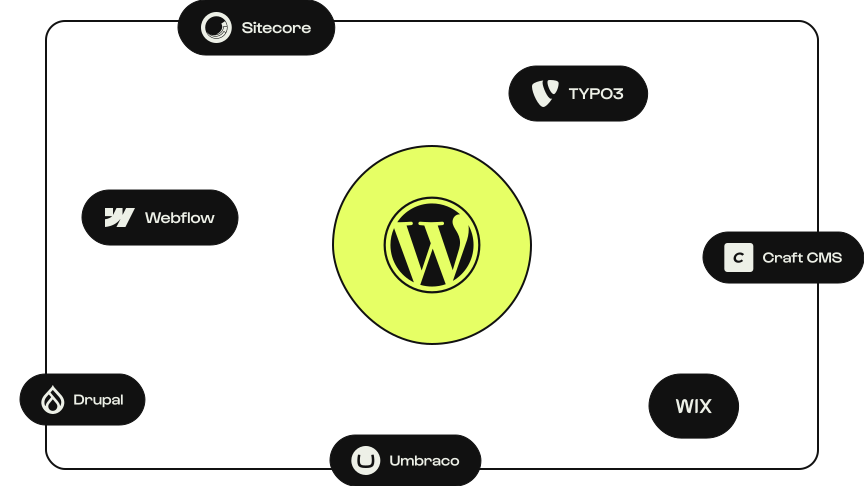
Once your requirements are clear, you can create a shortlist. Below are some CMS systems and platforms you can consider. Which solution fits also depends on the setup and the agency developing the website.
| CMS | Could fit when… | Keep in mind… |
|---|---|---|
| WordPress | You are looking for a business website that is flexible to set up and expand. | Hosting, maintenance, extensions, and the quality of the setup require attention. |
| Webflow Compare with WordPress | Visual design and managing a website within a single platform are important. | Research whether the desired integrations, content structure, and future expansions fit. |
| Drupal Compare with WordPress | Your organization has extensive requirements for content structure, permissions, or integrations. | The setup and further development may require specialist knowledge. |
| TYPO3 Compare with WordPress | Multilingualism, multiple editorial teams, and detailed permissions play a major role. | A good setup and available TYPO3 expertise are important. |
| Sitecore Compare with WordPress | You have extensive requirements for content management and personalization, among other things. | Look closely at the required products, expertise, and total investment. |
| Craft CMS Compare with WordPress | You want to develop a website with structured content and a custom design. | The setup and management depend on the chosen implementation and available expertise. |
| Umbraco Compare with WordPress | You are looking for a flexible CMS within a Microsoft .NET environment. | Keep in mind the available .NET knowledge and the costs of setup and maintenance. |
| Wix Compare with WordPress | You want to create and manage a website relatively easily within a single platform. | Research whether the possibilities for customization, integrations, and growth fit your needs. |
Other systems may also be a good fit. After all, a simple website, a webshop, and an international platform each have different requirements. Also read which CMS suits marketing teams.
Want to know more about the different types of CMSs first? Read which CMS systems exist and what the differences are between open source, platforms, custom CMS, and headless.
What is the best CMS?
The best CMS is the system that aligns with your goals, daily activities, and technical capabilities. For an organization that wants to publish flexibly and expand the website further, WordPress can be a good fit. For another organization, specific requirements for content, processes, or existing technology may be a reason to choose a different system.
Therefore, don't just compare features or popularity. Look especially at how the CMS is set up and what your team can do with it in practice.
Curious which systems are used most worldwide? Also read what the most used CMS for websites is.
How do you compare CMSs and providers in practice?
A feature list shows what a system can do, but not always how pleasant it works or how much setup is needed. Therefore, make a shortlist of two or three solutions and present them with the same situation. For example, suppose you are launching a new service. Ask each provider to show:
- How a colleague creates and publishes a page for this.
- How a form passes data to your CRM.
- How a second colleague reviews the page.
- What is needed to offer the page in another language later.
- Which steps you can perform yourself and where support is needed.
Preferably use an example from your own organization. Also ask for an indication of the costs for management and future expansion. This way, you compare not only systems on paper, but also the proposed setup, collaboration, and investment.
Need help choosing a CMS?
At Studio Brabo, we develop websites with WordPress. We are happy to look with you at the goals of the website, the daily management, and the systems the website needs to work with. This way, we can make it clear together what you need and whether WordPress is the right fit.